
3D prompt pack ad, English
Claude wrote the script and an AI voice read it. The scenes are recordings of the real pages and product clips, cut on the pauses of the voice. ffmpeg adds the captions and the price end card.

13 videos in five types. Each plays on its own when it reaches the screen, and the ads have sound if you tap the button.
Everything here was made by the DigiSkillHub founder with the method the course teaches: Claude writes the script, code builds the video. Clips marked AI-generated use scenes from paid AI image and video tools. The captions, timing and assembly are done in code.
Two product ads, each in English and Hinglish, built the same way: a script, a voice, recordings of the real product and code that joins them.
Claude wrote the script and an AI voice read it. The scenes are recordings of the real pages and product clips, cut on the pauses of the voice. ffmpeg adds the captions and the price end card.
The same ad with a Hinglish script and voice (Hindi and English mixed, as people speak).
The showreel of our own videos, a script written with Claude, an AI voice and timed captions, assembled by a Python script.
The same ad with a Hinglish script and voice.
Videos of finished web pages and product scenes, recorded straight from the page by code.
AI-generated frames, joined into a scroll-style clip by code.
AI-generated frames, joined into a scroll-style clip by code.
A headless browser scrolls the finished page and records it. No screen recorder, no editing.
The same recording method on a page with a live 3D bottle.
Story scenes made with AI image and video tools. Claude keeps the script, characters and shot list in one file so every scene matches.
A cartoon cat and puppy with an elephant. Scenes are AI-generated, the captions, timing and assembly are done in code.
A visual bible fixes the look of every character and place, then code builds the prompts and the timeline.
Drawn and captioned in code. No stock footage, no editing software.
One scenes file with the script and motion. Code draws every frame and times the captions to the voice.
A short script fills the regions of a drawing with colour, one after another.
All five methods in one clip.
Kids story, epic series, a product site, a code-drawn explainer and a colour-fill reveal, cut together by a script.
Taken straight from the course PDF, not re-drawn. This is the level of detail you get in all 9 lessons.
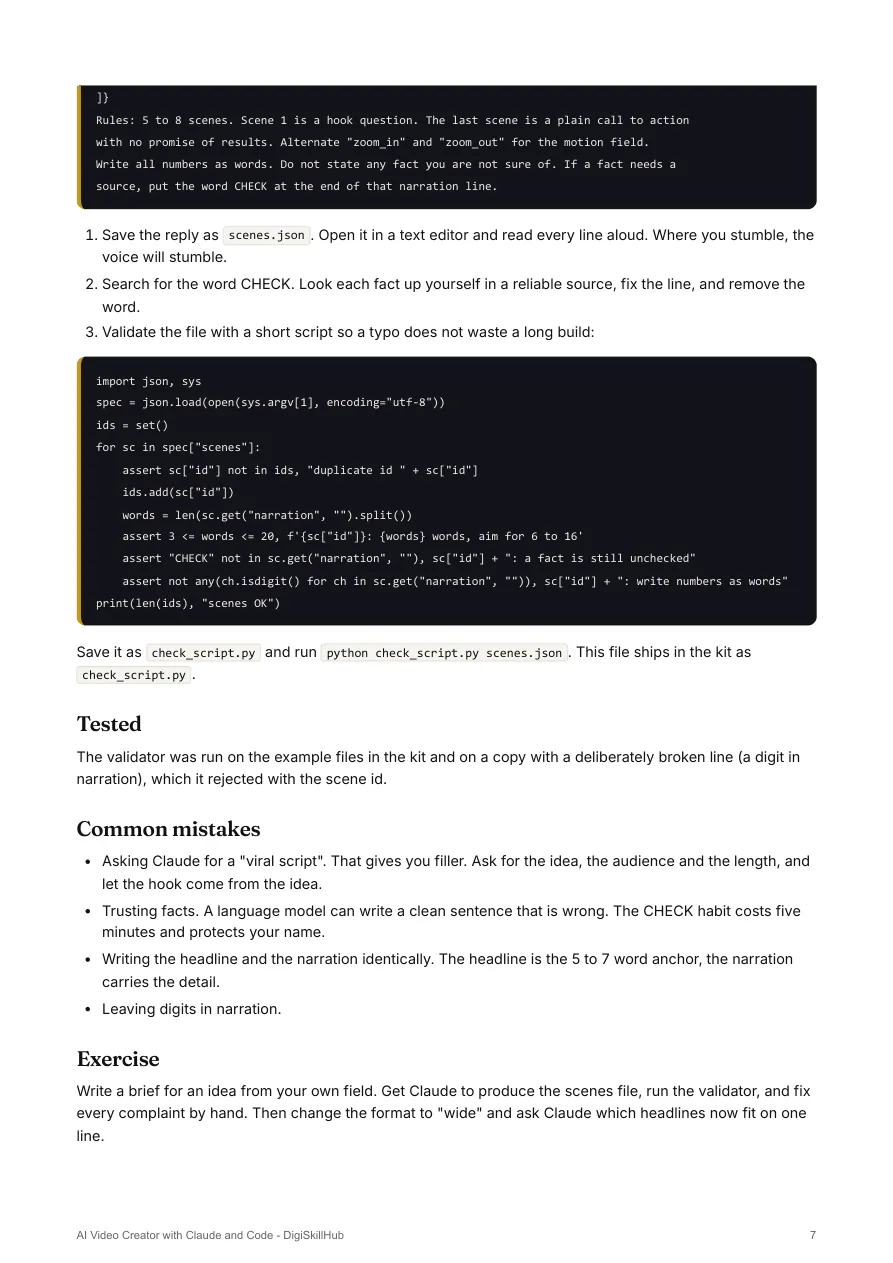
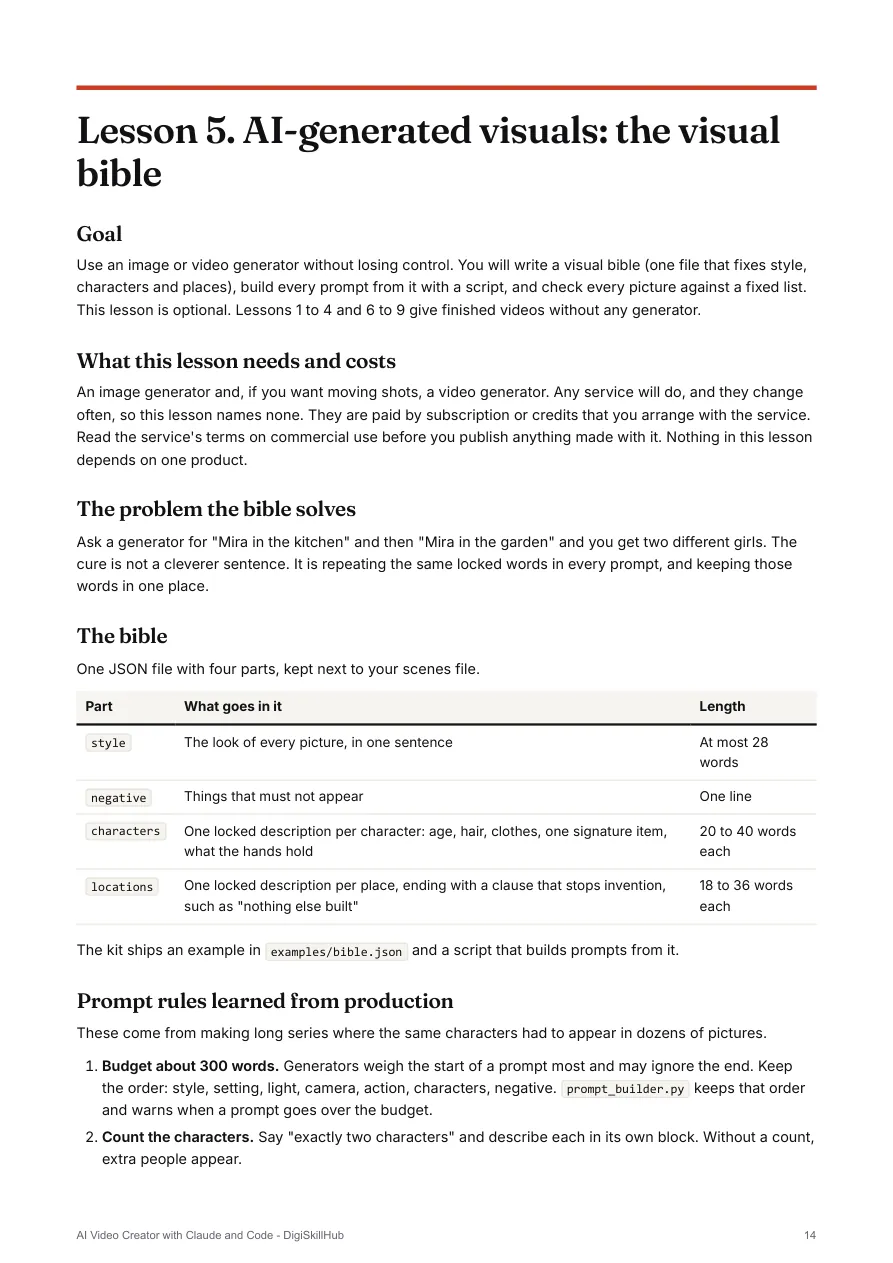
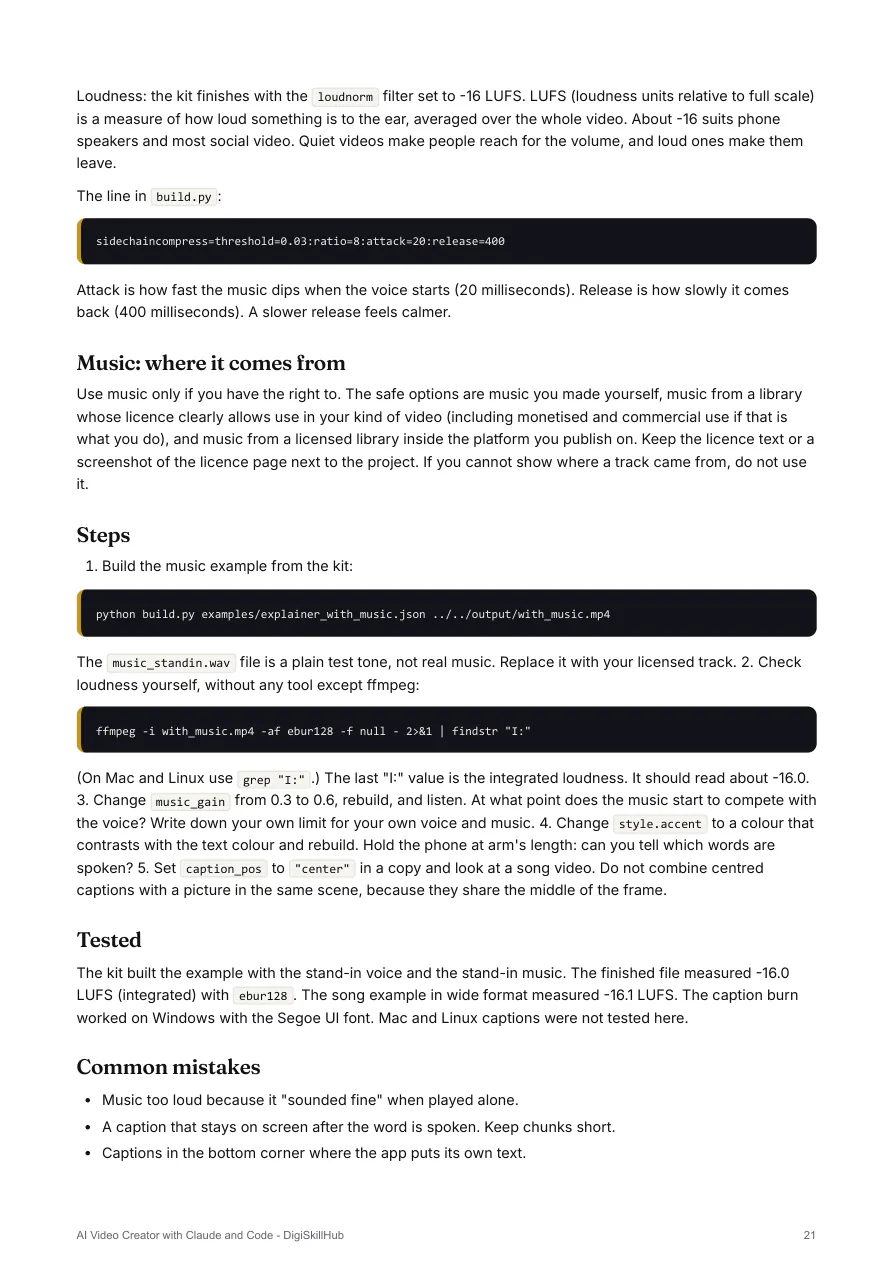
check_script.py ships in the kit. It rejects a bad scenes file in under a second, before you spend any time or money on voice and rendering.
import json
import sys

spec = json.load(open(sys.argv[1], encoding="utf-8"))
ids = set()
for sc in spec["scenes"]:
    assert sc["id"] not in ids, "duplicate id " + sc["id"]
    ids.add(sc["id"])
    words = len(sc.get("narration", "").split())
    assert 3 <= words <= 20, f'{sc["id"]}: {words} words, aim for 6 to 16'
    assert "CHECK" not in sc.get("narration", ""), sc["id"] + ": a fact is still unchecked"
    assert not any(ch.isdigit() for ch in sc.get("narration", "")), sc["id"] + ": write numbers as words"
print(len(ids), "scenes OK")
The course makes videos you can publish as your own. Where you use AI image, video or voice services, read their terms on commercial use first. The course says this in lesson 5.