

Start your n8n automations from a working structure instead of a blank canvas.
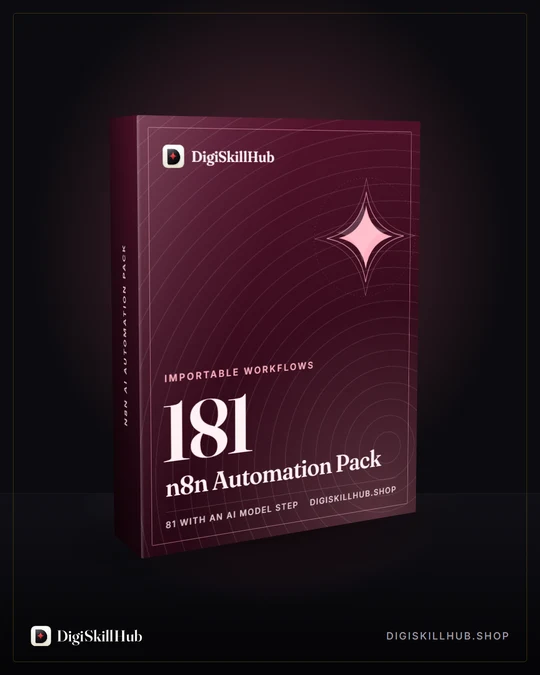
181 workflows in 9 categories, each a .json file you import into n8n. Every one is sorted, checked for valid structure and step types, stripped of credentials and listed in a spreadsheet with the services it needs.
- 181 n8n workflows: 35 for lead capture and CRM, 22 for support and email, 22 for content and social media, 19 for HR, 11 for finance, 20 for reports and data sync, 52 for general business, IT operations and a self-hosted AI starter
- 81 workflows include an AI model step, set up as a standard request to the OpenAI chat completions endpoint, so you add your own key and choose your own model
- index.csv lists every workflow with its steps, the nodes it uses, the credentials it needs and what to replace before you switch it on
- START_HERE guide: import steps, self-hosted n8n versus n8n Cloud, credential setup and ten ways to use the workflows in an Indian business
- Original authors and licences are credited in the pack. The workflows are MIT and Apache 2.0 licensed open material, curated and documented by DigiSkillHub
VAT included
We read 3,388 comments under other creators' videos before we built this.
Of the 185 that mentioned price, 29 complained about monthly subscriptions and 51 asked for something free.
The problem this solves
- You open n8n, look at an empty canvas and do not know which steps to put first.
- The public workflow collections are huge, mixed in quality and rarely say who wrote what or under which licence.
- A workflow you downloaded will not import in your version of n8n, or imports with missing steps.
- You want an AI step in the middle of a workflow but do not know what the request should look like.
- A connected structure to start from, so you edit field names and addresses instead of building every step.
- A spreadsheet that tells you, before you open a file, which services it needs and what to replace.
- AI steps that are plain, readable requests you can point at the model of your choice.
- A clear record of who wrote each workflow and under which licence.
Starting from a blank canvas is the slow part
Most people who try n8n get stuck in the first hour. The tool is flexible, but a flexible tool does not tell you which trigger comes first, how to shape the data between steps or what a request to an AI model should contain.
There are large public collections of workflows. They gather files from many authors, often without a licence, and a good share will not import in current n8n. You cannot tell which is which until you have spent the time.
Importable files, sorted, checked and described in one spreadsheet
Each workflow is one .json file. You import it and n8n shows the whole chain already connected: trigger, data handling, a call to a service or an AI model, an action. You change values. You do not build the structure.
Every file was checked to be valid, to have connected steps and to use step types that exist in n8n. Credentials and instance data were removed. The index.csv lists each workflow with its steps, the nodes it uses, the credentials it needs and what to replace before you switch it on.
- 181 workflows in 9 category folders, inactive on import, no credentials inside
- 81 include an AI model step, written as a plain request to the OpenAI chat completions endpoint, so you add your own key and choose your own model
- index.csv with 181 rows, one per workflow
- A START_HERE guide as PDF and Markdown: import, credentials, self-hosted or cloud, ten ways to use the workflows in an Indian business
- Every author, source and licence credited, with the original licence files
Counted from the files in the ZIP
The workflows by category folder:
- General business automation, IT operations and a self-hosted AI starter: 52
- Lead capture and CRM: 35
- Customer support and email: 22
- Content and social media: 22
- Reports and data sync: 20
- HR and onboarding: 19
- Finance and invoicing: 11
What this pack is not
We did not write these workflows. Other people wrote them and published them under the MIT and Apache 2.0 licences. We chose them, repaired what would not load in current n8n, removed credentials, sorted them and wrote the guide and the index. The pack names every author.
Most are working skeletons of 3 to 16 steps. They are not finished systems. You add credentials, replace example addresses in the HTTP steps and match the field names to your own services. Some steps use older node versions that n8n marks as deprecated but still opens.
We did not run every workflow against live Slack, HubSpot, Google or OpenAI accounts. There are no WhatsApp or Telegram workflows. The pack makes no promise about time saved or income.
If you automate with n8n, the pack is one payment with instant download and a 7-day refund.
This is for you if
- You use n8n, or want to, and prefer to start from a connected structure.
- You build automations for your own business or for clients and want a sorted library with the licences written down.
- You are comfortable importing a file and filling in credentials.
- You want AI steps you can read, edit and point at your own model.
This is not for you if
- You want workflows that run untouched the moment you import them. Most need edits.
- You need WhatsApp or Telegram workflows out of the box. None are included.
- You want to resell the pack or republish the guide as your own.
- You have never opened n8n and want a full course. This is a library with a guide, not a course.
What is inside
n8n is an automation tool where each automation is a chain of steps: a trigger, some data handling, a call to a service or an AI model, then an action. A workflow file holds that chain. Importing one gives you the chain already connected, so you edit values instead of building from nothing. In this pack the AI steps are ordinary HTTP requests to the OpenAI chat completions endpoint, which keeps them working on current n8n and lets you change the model. Credentials are left out on purpose, so nothing of anyone else's comes with the files.
Workflows: 181
Importable n8n .json files in 9 category folders. Inactive on import, no credentials inside
Workflows with an AI model step: 81
Lead scoring, ticket triage and replies, feedback analysis, content calendars, onboarding plans and more
Index spreadsheet
index.csv with name, category, steps, nodes used, credentials needed, what to set before use and markers to replace
START_HERE guide
PDF and Markdown: import, credentials, self-hosted or cloud, ten use cases, fixing common import problems
Credits and licences
Every source, its licence and copyright line, and the original licence files copied as published
You have seen the categories and the counts. Import the first workflow today and check it with sample data.
From payment to using it, in three steps
Pay once
Card, Apple Pay or Google Pay. You get a invoice. No subscription follows.
Download
The file appears in My Library at once. Download it as often as you need.
Use it
Open it, adapt it to your work, keep it. No monthly meter.
Three rows from the index, exactly as they are in the pack
The index tells you what each workflow does and what to change before you switch it on. Judge the standard from the rows.
Auto Update Customer Health Scores Based On Activity. Runs these steps in order: Daily 04:00 UTC > Fetch Customers (HubSpot Companies) > Normalize Companies > Fetch Product Usage (HTTP) > Fetch Support Stats (HTTP) > Compute Base Score > AI Adjustment (GPT-4) > Parse & Finalize ... Uses an AI model step: yes. Steps: 10. Credentials needed: HubSpot; OpenAI API key; Slack. Set before use: point the HTTP step to your own service (address, fields, authentication) and set the email addresses. Markers to replace: YOUR_DW_API_KEY; YOUR_SUPPORT_API_KEY. Source: ritik-prog (MIT).
Generate Recruitment Metrics Dashboards. Runs these steps in order: Daily 06:00 UTC > Fetch ATS (placeholder) > Compute Metrics > Append Metrics (Sheets) > Slack Notify Uses an AI model step: no. Steps: 5. Credentials needed: Google Sheets (OAuth2); Slack. Set before use: point the HTTP step to your own service (address, fields, authentication) and set the email addresses. Markers to replace: YOUR_LEVER_TOKEN. Source: ritik-prog (MIT).
Create Automated Referral Tracking Systems. Runs these steps in order: Referral Webhook > Generate Referral Code > Upsert Contact with Referral > Append to Referral Ledger > Slack Notify Uses an AI model step: no. Steps: 5. Credentials needed: Google Sheets (OAuth2); HubSpot; Slack. Set before use: add your credentials and details. Markers to replace: none. Source: ritik-prog (MIT).
These are 3 of the 181 rows. The rest are written the same way.
Every workflow in the pack has a row like these.

Arjun Murthy
Runs DigiSkillHub
- More than 15 years building artificial intelligence (AI), machine learning, embedded vision and real-time systems
- Leads a software division
- Completed the Advanced General Management Programme (AGMP) at IIM Ahmedabad
I am Arjun Murthy. I build artificial intelligence and embedded-vision systems for a living, more than 15 years of it, and I did the AGMP at IIM Ahmedabad. I did not write these workflows and the pack says so. The largest public n8n collections gather workflows from many authors who never licensed them, so I kept only workflows that, as far as I could check, were published by their own author under MIT or Apache 2.0, repaired what would not load in current n8n and wrote the guide I wanted when I started. The authors are credited inside the pack.
Why one payment
| Monthly subscription tools | DigiSkillHub | |
|---|---|---|
| What you pay | A fresh payment every month | One payment per product |
| If you stop paying | Access ends | Your downloads stay yours |
| Limits | Credits and caps that run out | Files with no usage meter |
| What people told us | 29 of 185 price comments we read were about subscriptions | Built for exactly that complaint |
Source: comments under competitors' AI-video and digital-product reels and videos on Instagram, Facebook and YouTube, read in November 2026.
n8n AI Automation Pack: 181 Workflows
- Launch price €12 until 07 December 2026
- Regular price €18 after that
No hidden charges.
Get the n8n Automation PackWhat you can count on
- Secure paymentStripe: card, Apple Pay and Google Pay. We never see or store your card.
- InvoiceA proper invoice for every order, in My Library.
- Instant downloadYour files appear in My Library as soon as payment clears.
- 7-day refundNot what you expected? Write to us within 7 days. Refund policy.
- Support[email protected]. We reply within 24 to 48 hours.
- Who sells thisDigiSkillHub, No. 33, 131/1, 1st Cross, Shastha Layout, Rayasandra, Bengaluru, Karnataka 560099, India. Contact.
7-day refund
Open it, try a few and see for yourself. If it is not what you expected, ask for a refund within 7 days and you get the full amount back.
Questions people ask
What exactly do I download?
One ZIP with 181 n8n workflow files in category folders, an index spreadsheet, a START_HERE guide as PDF and Markdown, a credits and licences file and the original licence files.
Did DigiSkillHub write these workflows?
No. They were written by other people and published on GitHub under the MIT licence and the Apache 2.0 licence. We selected them, repaired the parts that did not load in current n8n, removed credentials and instance data, sorted them and wrote the guide and index. The authors and licences are listed in the pack.
Will they run as soon as I import them?
No, and you should know this before buying. Most are working skeletons of 3 to 16 steps. They open as a connected structure, but you add your own credentials, replace example addresses in the HTTP steps and match field names to your own services. Some steps use older node versions that n8n marks as deprecated but still opens.
Have you tested every workflow against live accounts?
No. Every file was checked to be valid, to have connected steps, to use step types that exist in n8n and to produce valid AI request bodies. We did not run each one against live Slack, HubSpot, Google or OpenAI accounts.
Are there WhatsApp or Telegram workflows?
No. n8n has nodes for both and you can add one to any workflow, but none of the 181 ship with it.
Do I need to be technical?
You need to be comfortable opening n8n, importing a file and filling in credentials. The guide covers each step. If you have never used n8n, expect an evening to get your first workflow running.
What does it cost to run?
n8n Community Edition is free to self-host and you pay for the server. n8n Cloud has a paid plan after its trial. The AI steps use your own OpenAI key and are billed by OpenAI per use. Those costs are yours and are not included in the price of the pack.
Can I use them for clients?
Yes. The licences on the workflow files allow it. Keep the copyright notices and licence files that come with the pack. The guides and index are ours, so please do not republish them as your own.
What if it is not what I expected?
Write to us within the refund window shown at checkout and we refund you.